
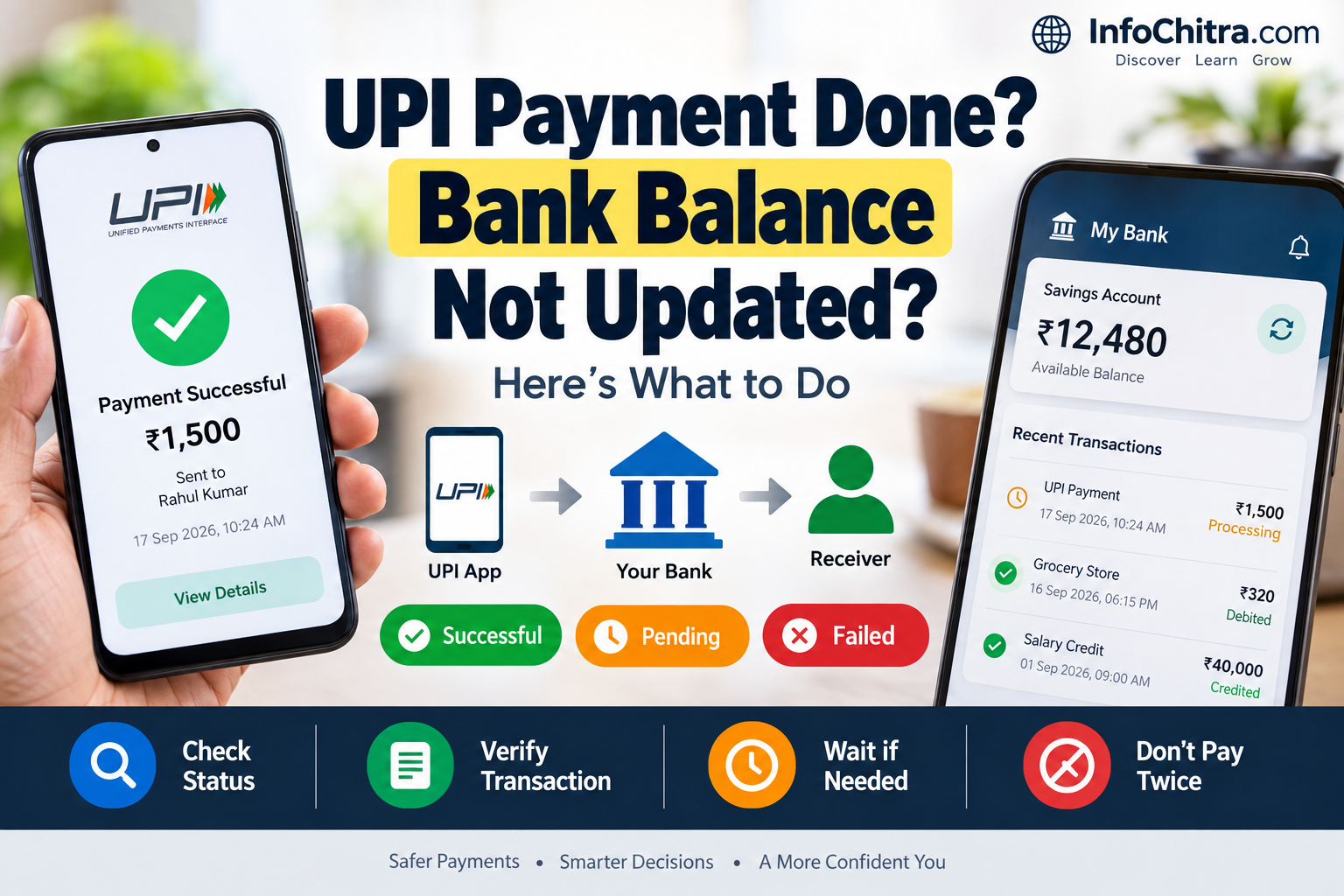
Bank Balance Not Updated After UPI Payment? Here’s What to Do
You make a UPI payment, see a confirmation on your phone, and then check your bank account.
But the balance doesn’t seem to have changed.
Or perhaps the opposite has happened: the money has been debited from your account, but the receiver hasn’t received it.
This can be confusing, especially when your UPI app says Successful, Pending, or Failed.
The important thing is not to make another payment immediately.
First, check the actual transaction status and determine what happened to the money.
UPI is an instant payment system developed by NPCI and regulated by the Reserve Bank of India, but transactions can still encounter status, reconciliation or bank-system issues.
First: What Exactly Is the Problem?
There are several different situations that people describe as “my bank balance isn’t updated.”
Situation 1: Payment says Successful, but balance looks unchanged
The UPI app may show the payment as successful while your banking app or displayed balance has not refreshed yet.
Situation 2: Money was debited, but the receiver hasn’t received it
This is a different problem.
NPCI’s transaction-resolution framework specifically recognises cases where the remitter account is debited but the beneficiary account is not credited.
Situation 3: Payment says Pending
The transaction has not reached a final status yet.
Situation 4: Payment says Failed, but money was debited
This can require reversal/reconciliation.
NPCI’s UPI guidance states that where there is a wrong debit in a pending/failed transaction, the money is to be credited back to the account.
Before You Do Anything: Don’t Pay Again

This is one of the most important steps.
Suppose you paid a shop ₹1,000.
Your screen looks confusing, so you immediately send another ₹1,000.
You may end up paying twice.
Instead:
Check → Verify → Wait if necessary → Raise complaint
before attempting the payment again.
Step 1: Check the UPI Transaction Status
Open the UPI app you used.
Go to:
Transaction History → Select the payment → Check Status
The exact menu wording differs between apps.
NPCI’s BHIM documentation, for example, instructs users to check transaction history to see the transaction status.
You will usually see something like:
- Successful
- Pending
- Failed
- Declined
- Reversed/refunded
The next step depends on this status.
Step 2: If the Payment Is Successful
If the transaction clearly shows Successful, don’t assume that a temporarily unchanged displayed balance means the payment failed.
Check:
1. Bank transaction history
Look for the debit entry.
2. SMS or bank notification
Check whether your bank has sent a debit notification.
3. UPI transaction details
Save the:
- Transaction ID
- UTR/reference number
- Date
- Amount
- Receiver details
4. Refresh the banking app
A displayed balance may not reflect the latest information immediately if the banking app/session has not refreshed.
NPCI has previously highlighted that banks need to provide customers with debit/credit/reversal information and that status/confirmation issues can contribute to complaints.
Step 3: If Money Was Debited but the Receiver Didn’t Get It

This is more important.
For example:
You: ₹2,000 debited
Receiver: ₹0 received
Don’t immediately send another ₹2,000.
First check the transaction status and reference number.
NPCI’s dispute framework specifically covers the scenario:
remitter account debited but beneficiary account not credited.
The banks involved use transaction records and reconciliation processes to determine whether the transaction was completed, returned or needs further resolution.
Step 4: If the Transaction Says Pending
A pending transaction means you should not treat it as a normal completed payment yet.
First:
- Open transaction details.
- Note the transaction/reference number.
- Refresh the status.
- Check your bank account.
- Check whether the receiver has actually received the money.
- Don’t make a duplicate payment immediately.
NPCI’s UPI Help guidance specifically says that refreshing can help obtain the current status of a transaction that is pending.
Step 5: If the Transaction Says Failed

If the payment failed but your account was debited, don’t panic.
NPCI’s UPI Help guidance states that in the case of a wrong debit, the amount is to be credited back to the account.
Check:
- Bank statement
- Transaction history
- UPI app status
- Refund/reversal entry
If the amount does not return as expected, raise a complaint through the relevant UPI app/bank channel.
A Simple UPI Decision Tree
Here’s the easiest way to decide what to do:
UPI payment made
↓
Is the transaction Successful?
YES
→ Check bank transaction history
→ Check whether receiver received money
→ Save transaction reference
→ If balance display still looks wrong, refresh/check bank records
NO
↓
Is it Pending?
YES
→ Check/refresh transaction status
→ Don’t make another payment immediately
→ Keep transaction reference
→ If unresolved, raise complaint
NO
↓
Is it Failed/Declined?
YES
→ Check whether money was debited
→ If debited, check reversal/refund
→ If money doesn’t return, contact bank/raise complaint
This is much safer than simply trying the payment again.
Why Can the Balance Appear Incorrect?

There isn’t one single reason.
Possible explanations include:
1. Banking app hasn’t refreshed
The displayed balance may not immediately reflect the latest transaction information.
2. Transaction is still being reconciled
UPI involves multiple participants and transaction records have to be reconciled.
3. Payment status hasn’t reached final state
A pending transaction may still be awaiting final confirmation.
4. Debit and credit don’t appear simultaneously
The sender and receiver are separate accounts and institutions may have different transaction displays.
5. Bank or payment-system issue
Temporary technical problems can affect transaction status and confirmation.
NPCI documentation recognises transaction-status and reconciliation issues as part of UPI complaint handling.
What Is the UPI Transaction ID / UTR?

When you contact your bank about a disputed UPI payment, one of the most useful pieces of information is the transaction reference.
Depending on the app or bank, you may see:
- UPI Transaction ID
- UTR
- Reference Number
- Transaction Reference
Keep this information before contacting support.
It helps the bank locate the specific transaction.
What If the Receiver Says “I Didn’t Get the Money”?
Don’t rely only on a screenshot.
Ask the receiver to check their actual bank account transaction history.
A payment screenshot can show a status, but the receiver’s bank account record is more useful for confirming whether the amount was actually credited.
At the same time, the sender should retain the transaction reference.
What If My Balance Is Wrong but the Transaction Is Successful?
Try this simple sequence:
1. Refresh your bank app
Log out and back in if necessary.
2. Check transaction history
Don’t rely only on the balance shown on the home screen.
3. Check your bank SMS/email
Look for the debit confirmation.
4. Check the UPI transaction details
Confirm the amount and transaction status.
5. Wait for the banking record to update if the payment is still being processed
Don’t make a duplicate payment simply because the displayed balance looks unchanged.
Should You Contact the UPI App or Your Bank?

Start with the UPI app’s transaction/help section for the particular transaction.
If the issue involves your bank account balance, debit, reversal or missing credit, your bank is also an important point of contact.
NPCI says member banks are responsible for handling customer complaints relating to UPI transactions, including transactions initiated through different UPI/PSP apps.
NPCI also provides a complaint-status facility through which customers can check complaint/transaction status in its records.
What Information Should You Keep Before Complaining?
Prepare:
- Your bank name
- UPI app name
- Transaction date
- Transaction time
- Amount
- UPI Transaction ID/UTR
- Receiver/merchant details
- Screenshot of transaction status
- Bank statement entry, if available
Never share your UPI PIN.
NPCI explicitly says your UPI PIN should not be shared and that bank customer support will not ask for it.
What You Should Never Do
❌ Don’t share your UPI PIN
No legitimate support process requires you to disclose it.
❌ Don’t share an OTP with someone who calls claiming to be bank support
Treat unexpected requests for authentication information as suspicious.
❌ Don’t make the payment again immediately
First determine what happened to the first transaction.
❌ Don’t rely only on a screenshot
Check the actual bank transaction record.
❌ Don’t delete transaction details
Keep the reference number until the issue is resolved.
A Quick Example
Imagine you buy something for ₹1,500.
You make the UPI payment.
Your app shows:
Payment Successful
But your bank balance appears unchanged.
What should you do?
Don’t pay again.
Instead:
- Open transaction history.
- Confirm the ₹1,500 transaction.
- Check your bank transaction history.
- Check the transaction/reference number.
- Ask the merchant to check their actual bank account.
- If there is a mismatch, raise a complaint using the transaction details.
This gives you a clear record instead of creating a second payment problem.
UPI Payment Status: What It Means
| Status | What it generally means | What you should do |
|---|---|---|
| Successful | Transaction completed according to the UPI status | Verify bank/receiver records |
| Pending | Final status has not been established | Check status again; don’t duplicate payment |
| Failed | Payment was unsuccessful | Check whether any amount was debited |
| Declined | Transaction was rejected | Check reason and retry only after confirming no debit |
| Debited but receiver not credited | Sender account was debited but beneficiary credit is unresolved | Keep reference number and raise complaint if needed |
The exact wording can vary between UPI apps and banks.
When Should You Contact Your Bank?

Contact your bank when:
- money was debited but the issue remains unresolved
- the receiver hasn’t received the money
- a failed transaction resulted in a debit
- the reversal/refund hasn’t appeared as expected
- your bank balance or transaction record remains incorrect
- you need help with a disputed transaction
NPCI’s complaint-handling framework requires member banks to acknowledge and address customer complaints concerning UPI transactions.
What If You Think the Transaction Is Fraudulent?
This is different from a normal pending or delayed transaction.
If you believe someone made a UPI transaction without your authorization, contact your bank immediately and use the appropriate fraud-reporting/support channel.
Do not share your UPI PIN or other authentication information with anyone claiming to help you.
Frequently Asked Questions
Why is my bank balance not updated after a UPI payment?
The displayed balance may not immediately reflect the latest transaction, or the transaction may still be undergoing status/reconciliation processing. Check the actual transaction history and UPI status rather than relying only on the balance displayed on the home screen.
What if UPI shows successful but money is not visible in my bank statement?
Check the transaction details, bank transaction history and reference number. If the records remain inconsistent, contact your bank with the transaction reference.
What if money is debited but the receiver didn’t get it?
Don’t immediately pay again. Check the transaction status and retain the reference number. NPCI’s framework specifically covers cases where the remitter is debited but the beneficiary is not credited.
What if my UPI payment is pending?
Check or refresh the transaction status and avoid making a duplicate payment until you know the status of the original transaction. NPCI’s UPI Help guidance recommends using the refresh/status function for pending transactions.
Will I get my money back if a UPI payment fails after debiting my account?
NPCI’s UPI Help guidance states that a wrong debit in a pending/failed transaction should be credited back to the account. If the expected reversal does not occur, raise the issue through the appropriate support channel.
Is it safe to give my UPI PIN to bank support?
No. NPCI states that users should not share their UPI PIN and that bank customer support will not ask for it.
UPI payment failed? Don’t make the payment again immediately.
Learn the common reasons for UPI payment failures and how to fix them safely.
Final Takeaway
If your bank balance doesn’t appear to update after a UPI payment, don’t immediately assume that the payment failed—and don’t immediately make another payment.
First:
Check the UPI status → Check the bank transaction history → Save the transaction reference → Verify the receiver’s account → Raise a complaint if the records don’t match.
The important distinction is whether the transaction is successful, pending, failed, or debited-but-not-credited.
That status determines what you should do next.
UPI is designed for instant bank-to-bank payments, but individual transactions can still encounter status, reconciliation or bank-system issues. NPCI provides transaction support and complaint mechanisms for these situations.